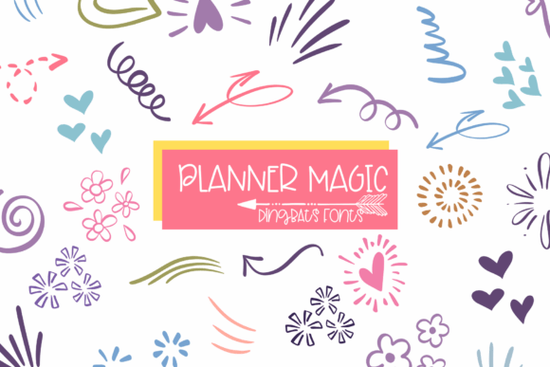
If you're looking for a simple way to make your planners, journals, and craft projects look more polished and fun, Planner Magic is a dingbats font worth checking out. It's filled with hand-drawn doodle icons arrows, hearts, flowers, sparkles, swirls, and decorative lines that you can type out just like any regular font. Instead of hunting for clip art or drawing elements by hand, you get instant access to dozens of cute design pieces straight from your keyboard.
This makes it especially useful for anyone who creates planner stickers, journal layouts, or printable designs on a regular basis.
What Exactly Is a Dingbats Font?
A dingbats font doesn't type letters or numbers. Instead, each key on your keyboard is mapped to a unique icon or symbol. When you press "A," you might get a tiny flower. Press "B," and you might see a swirl or an arrow. Planner Magic works exactly this way, giving you a full set of doodle-style graphics that look hand-drawn but are as easy to use as typing a sentence.
This is a huge time-saver for crafters and designers. No more importing separate image files or resizing clip art. You just type, adjust the size, and you're done.
Who Is This Font Best For?
Planner Magic works well for a wide range of creative people. Here are some of the most common uses:
- Planner and bullet journal lovers Add doodle accents to weekly spreads, habit trackers, and monthly covers without any drawing skills.
- Scrapbookers Use the icons as decorative elements on memory pages and photo layouts.
- Print-on-demand sellers Incorporate the doodles into t-shirt designs, mug graphics, and sticker sheets you sell online.
- Small business owners Create branded stationery, thank-you cards, packaging inserts, and social media posts with a consistent hand-drawn style.
- Teachers and homeschool parents Make worksheets, reward charts, and classroom decorations that feel warm and personal.
- Social media managers Add playful visual breaks to Instagram stories, Pinterest pins, and promotional graphics.
How Does It Work With Design Software?
One of the best things about Planner Magic is that it's compatible with most tools you're probably already using. Since it installs like any standard font, it works with:
- Canva Type the icons directly into your designs using the text tool.
- Cricut Design Space Use the doodles for cut files and print-then-cut projects.
- Silhouette Studio Great for making vinyl decals, stickers, and heat transfers.
- Adobe Illustrator and Photoshop Full control over size, color, and layering.
- Microsoft Word and Google Docs Simple enough for non-designers making planners or printables at home.
There's no learning curve. If you've ever installed a font on your computer or device, you already know how to use this one.
What Makes This Font Different From Clip Art?
Clip art files are individual images. You have to download each one separately, import it into your project, resize it, and position it manually. With a dingbats font, every icon lives inside one font file. You can change the color, size, and spacing just by adjusting your text settings. This also means your file sizes stay smaller and your workflow stays faster.
For people who make printable planners or sticker sheets in bulk, this difference adds up quickly. You can type out an entire row of matching doodles in seconds rather than dragging and dropping individual graphics.
Can I Use It for Products I Sell?
Yes. Planner Magic is suitable for both personal and commercial projects. You can use the icons in designs you sell on Etsy, at craft fairs, or through print-on-demand platforms. This includes sticker sheets, printable planners, t-shirts, mugs, tote bags, and similar items.
Just make sure to review the specific license terms on Creative Fabrica so you understand what's covered, especially if you plan to sell the font files themselves (which is typically not allowed with most font licenses).
Quick Checklist Before You Buy
- ✅ Decide what you'll use it for stickers, journals, POD products, or social media graphics.
- ✅ Confirm your design software supports custom fonts.
- ✅ Check the license if you plan to sell products made with these icons.
- ✅ Download Planner Magic and install it on your system.
- ✅ Open a test project and type through the character map to see every available icon.
- ✅ Start with one simple project like a planner cover or a set of journal stickers to get comfortable with the icons.
Tip: After installing, open a blank document and type every letter of the alphabet plus numbers and symbols. This gives you a quick visual reference of all the doodles included so you can plan your designs more efficiently.
Get Started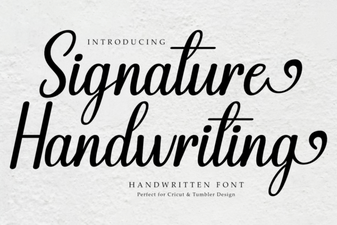 Elegant Signature Fonts for Creative Projects
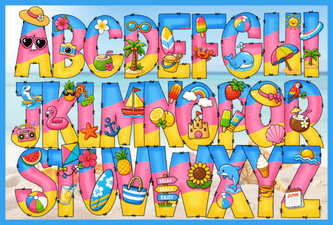 Hi Summer Font: Breezy and Playful Typography for Creative Designs
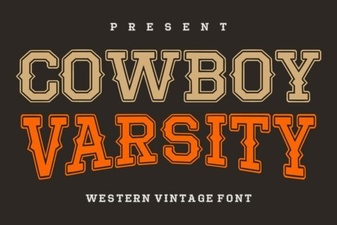 Cowboy Varsity Font - Bold Western Display Typeface
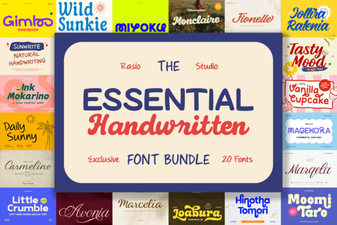 Essential Handwritten Bundle for Creative Design Projects
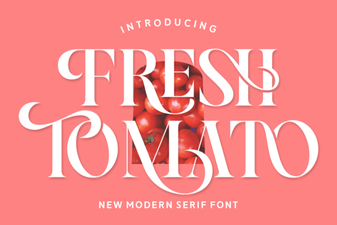 Fresh Tomato Font: Bold & Creative Typography Ideas
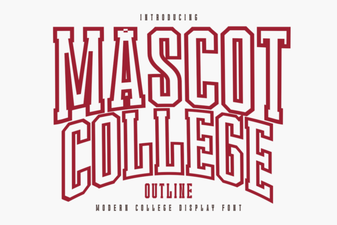 Mascot College Outline Font for Creative Design Projects