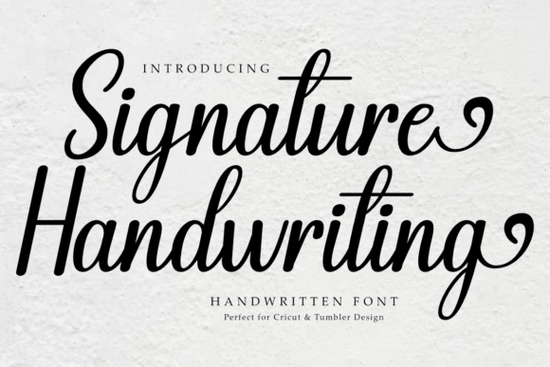
Looking for a handwritten font that feels personal without looking messy? The Signature Handwriting Font is a clean, beautifully crafted script that works across a wide range of creative projects. Whether you're designing tumblers, stickers, teacher-themed crafts, or quotes for your next DIY project, this font delivers a sweet, friendly vibe that connects with people right away.
It's one of those typefaces that doesn't try too hard. The letterforms flow naturally, almost like real pen-on-paper writing. That makes it a reliable choice for crafters, small business owners, and designers who want warmth and personality in their work without sacrificing readability.
What Can You Use Signature Handwriting Font For?
This font is surprisingly versatile. Here are some of the most popular ways creators put it to work:
- Tumblers and mugs The flowing script looks beautiful on drinkware, especially when layered with other design elements.
- Stickers and decals Clean lines mean it cuts well on Cricut and Silhouette machines.
- Teacher designs Perfect for classroom labels, name tags, and appreciation gifts. If you're building a collection of fonts for classroom projects, this one fits right in.
- Quotes and wall art Its handwritten feel adds an authentic, human touch to inspirational text.
- DIY crafts From greeting cards to gift tags, it brings a personal feel to handmade items.
- Print-on-demand products Great for Etsy sellers designing apparel, tote bags, or home décor listings.
The font is also suitable for both personal and commercial projects, so you don't have to worry about licensing when you sell your finished designs.
Is This Font Easy to Use With Cricut or Silhouette?
Yes. One of the standout qualities of the Signature Handwriting font is how well it performs in cutting software. The letters connect smoothly but don't overlap in ways that cause problems during weeding. That's a real time-saver when you're working on bulk orders or prepping for a craft fair.
You can install it on your computer and access it directly through Cricut Design Space, Silhouette Studio, or whatever design software you prefer. No special setup needed just type, resize, and cut.
How Does It Compare to Other Handwritten Fonts?
Not all script fonts are created equal. Some are too fancy, some are hard to read, and others look great on screen but fall apart when scaled down. The Signature Handwriting Font hits a nice middle ground. It has enough personality to stand out but stays legible even at smaller sizes.
If you're building a font library for different project types, here are a few worth exploring alongside it:
- For elegant event invitations or feminine branding, check out these beauty-inspired script fonts.
- Planning a themed celebration? A princess party script font adds a magical, whimsical feel to decorations and signage.
- Working on automotive or dealership designs? There are bold script fonts for car dealers that give off a completely different energy.
Having a variety of script styles on hand means you're always ready for whatever project comes your way.
What File Formats Does It Come With?
The font typically comes in standard formats like OTF and TTF, which are compatible with most design programs on both Windows and Mac. Once downloaded, you can install it like any other font on your system and start using it immediately.
Tips for Getting the Best Results
Here are a few practical suggestions to make the most of this font:
- Use it at a reasonable size. While it works at small scales, it really shines at medium to large sizes where the details of each letter are visible.
- Pair it with a simple sans-serif. A clean, minimal secondary font balances the handwritten feel without clashing.
- Adjust letter spacing if needed. Depending on your software, you might want to tighten or loosen the tracking for a more natural look.
- Test before cutting. Always do a small test cut on vinyl or cardstock to make sure the lines and curves cut cleanly.
- Preview on your actual product. If you're selling print-on-demand, mock it up on the product image before listing it to make sure the proportions look right.
Who Is This Font Best For?
If you're a crafter who makes personalized gifts, a small business owner selling custom products, a teacher creating classroom materials, or a designer working on branding projects this font is a solid addition to your toolkit. It doesn't overcomplicate things, and it delivers consistent results across different mediums.
You can grab it from Creative Fabrica, where it's available alongside thousands of other fonts, graphics, and craft resources.
Quick Checklist Before You Start Designing
- ✅ Download and install the font on your computer
- ✅ Open your design software and select the font from your font list
- ✅ Pair it with a complementary secondary font for contrast
- ✅ Adjust size and spacing to fit your project
- ✅ Do a test cut or print before going to production
- ✅ Save your final file in the right format for your printer or cutting machine
Next step: Browse the full Signature Handwriting Font details page, download the font, and start testing it on your next project. You'll know within minutes whether it's the right fit and chances are, it will be.
Explore Design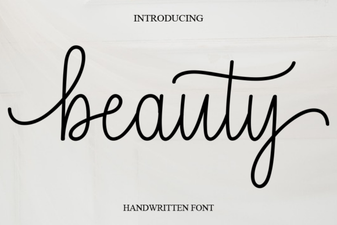 Elegant Beauty Fonts for Creative Design Projects
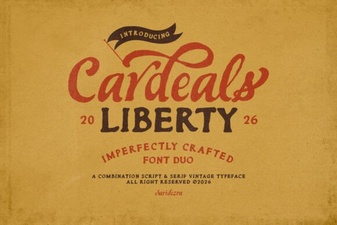 Cardeals Font: Modern Typography for Auto Dealers
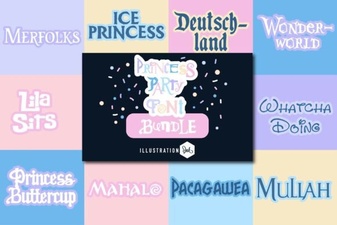 Elegant Princess Party Fonts for Dreamy Celebrations
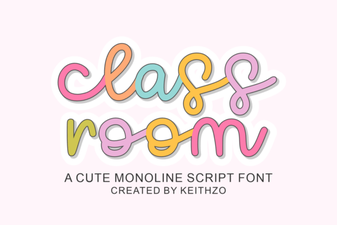 Classroom Font – Handwritten Script Font for Creative Projects
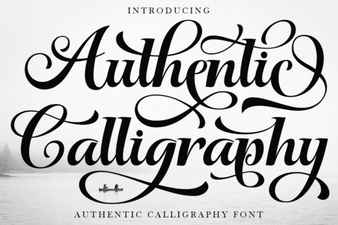 Beautiful Authentic Calligraphy Fonts for Creative Design Projects
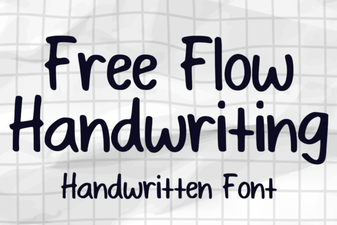 Elegant Free Flow Handwriting Font for Creative Projects