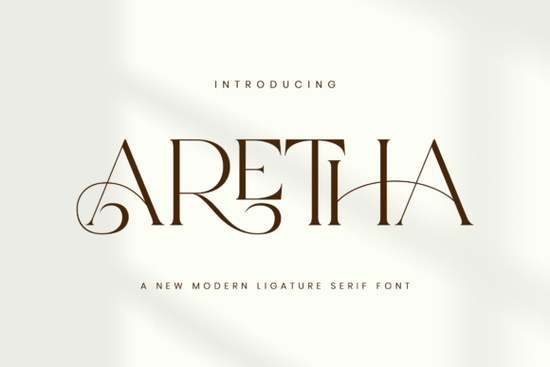
If you've been searching for a serif font that feels both modern and timeless, the Aretha Font deserves a close look. This modern ligature serif combines razor-sharp serifs with flowing connections between letters, giving it the feel of fine jewelry in typeface form. It's built for anyone working in fashion branding, beauty marketing, or luxury stationery who needs a typeface that looks polished without feeling overdone.
I'll walk you through what makes this font stand out, who it's best for, and how to use it alongside other serif fonts for your next project.
What Makes Aretha Different from Other Serif Typefaces?
Most serif fonts fall into one of two camps: classic and traditional, or decorative and hard to read. Aretha Font sits in a sweet spot between the two. Its serifs are clean and sharp, giving each letter a confident structure. But the ligatures those elegant connections between certain letter pairs add movement and softness that you don't often see in modern serif fonts.
Here's what you'll notice right away:
- Razor-sharp serifs that give headings a strong, editorial look
- Flowing ligatures that create a natural rhythm across words
- Generous x-height, meaning lowercase letters are tall and readable even at smaller sizes
- Uppercase and lowercase alternates for flexible design options
The overall feel is sophisticated without being stiff. Think high-end fashion magazine cover or a boutique logo that's the energy this font carries.
Who Should Use This Font?
Aretha works well across a range of creative projects. If you fall into any of these categories, it's worth trying:
- Fashion and beauty brands Logos, packaging, and social media graphics
- Wedding stationery designers Invitations, menus, and signage
- Magazine and editorial designers Headers, pull quotes, and feature layouts
- Print-on-demand sellers Mugs, tote bags, and apparel with text-based designs
- Small business owners Boutique branding, business cards, and website headers
I've seen serif fonts with ligatures used really well on Etsy shops that specialize in custom wedding invitations. The connected letterforms give each piece a handcrafted, premium feel that customers notice right away.
How Does It Compare to Other Serif Fonts?
If you're building a font library for client work or personal projects, comparing options helps. Here's how Aretha stacks up against a few other popular serif choices:
- Grove Peach A softer, more organic serif with rounded edges. Better suited for lifestyle and wellness branding rather than high-fashion work. You can explore grove peach font on Creative Fabrica.
- Fresh Tomato A bolder, more playful serif that leans toward food and restaurant branding. Fun and eye-catching, but not as refined as Aretha. Check out fresh tomato font if you want something with more personality.
- Patcher A textured, distressed serif that works well for vintage or rustic projects. Very different mood from Aretha's clean elegance. You can find patcher font if that's more your style.
Each of these fonts has its place, but for luxury branding and editorial design, Aretha stands out for its balance of sharpness and flow.
Best Ways to Pair Aretha with Other Fonts
A single font rarely carries an entire design. Pairing Aretha with complementary typefaces helps you create visual hierarchy and keeps layouts interesting.
- Aretha + a clean sans-serif Use Aretha for headings and a simple sans-serif for body text. This keeps things readable while maintaining an upscale feel.
- Aretha + a light script font For wedding invitations or feminine branding, layering Aretha with a delicate script adds warmth and personality.
- Aretha alone, mixed weights If the font includes multiple weights, play with contrast between bold and regular for a cohesive, minimalist look.
Where Can You Download Aretha?
You can find the Aretha serif typeface on Creative Fabrica. It's available for personal and commercial use, which makes it a solid choice for designers who work with clients or sell products online.
Make sure to check the license details before using it in commercial projects, especially if you're selling on platforms like Etsy, Redbubble, or Amazon Merch. For a deeper understanding of serif font styles and their history, this overview of serif typography is a helpful reference.
Quick Checklist Before You Use Aretha in a Project
- ✅ Download the font and install it on your system
- ✅ Test it at multiple sizes to see how the ligatures render
- ✅ Check ligature support in your design software (Illustrator, Canva Pro, Photoshop, etc.)
- ✅ Review the license for your specific use case
- ✅ Pair it with at least one complementary typeface for visual balance
- ✅ Preview your design on both screen and print before finalizing
Tip: If you're using Canva, make sure to enable ligatures manually they don't always activate by default. In Adobe software, ligatures usually work automatically, but double-check your OpenType settings under the Character panel to be safe.
Learn More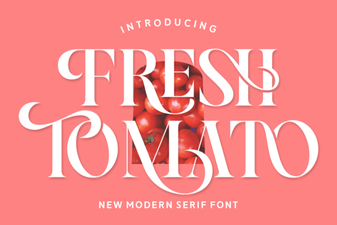 Fresh Tomato Font: Bold & Creative Typography Ideas
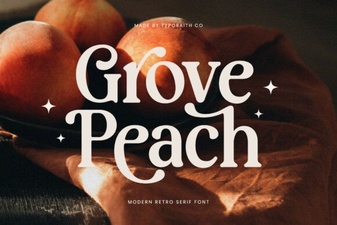 Grove Peach Serif Font – Elegant Vintage Display Typeface
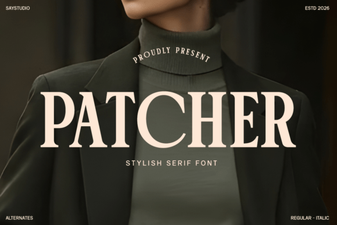 Patcher Font – Free Serif Display Typeface Download
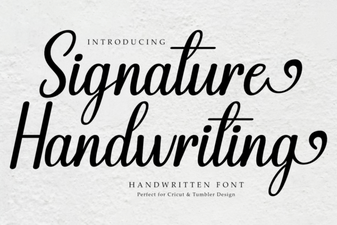 Elegant Signature Fonts for Creative Projects
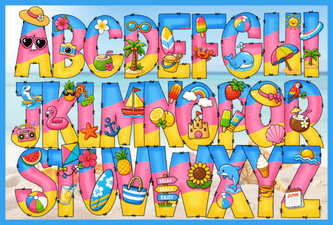 Hi Summer Font: Breezy and Playful Typography for Creative Designs
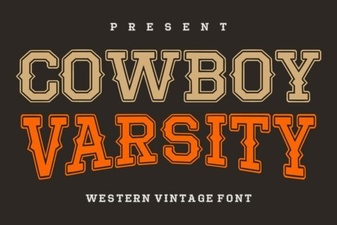 Cowboy Varsity Font - Bold Western Display Typeface